
TRAINING DATA ANALYSIS AND STATISTICS WITH MS EXCEL
PELATIHAN DATA STATISTICS WITH MS EXCEL
TRAINING DATA STATISTICS WITH MS EXCEL
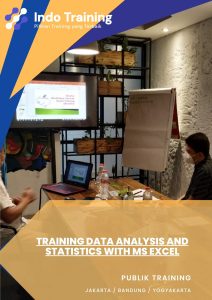
Training on Data Analysis and Statistics with MS Excel: This comprehensive training program is designed to equip participants with essential skills in data analysis and statistics using Microsoft Excel. Participants will learn how to collect, clean, and analyze data efficiently, employing various statistical techniques and tools available in Excel. The training covers topics such as data visualization, hypothesis testing, regression analysis, and descriptive statistics. By the end of the training, participants will be proficient in using Excel for advanced data analysis, enabling them to make informed decisions based on statistical insights derived from their data.
Training Objectives:
- Introduce participants to the fundamental concepts of data analysis and statistics.
- Provide hands-on experience with data analysis techniques using Microsoft Excel.
- Teach participants how to organize, clean, and format data for analysis.
- Familiarize participants with various statistical methods and their application in Excel.
- Enhance participants’ skills in interpreting and visualizing data using charts and graphs.
- Enable participants to perform basic hypothesis testing and make data-driven decisions.
- Equip participants with practical knowledge for real-world data analysis projects using Excel.
Training Modules:
- Introduction to Data Analysis and Statistics: Basic Concepts and Terminology.
- Data Preparation: Importing, Cleaning, and Transforming Data in Excel.
- Descriptive Statistics: Calculating Measures of Central Tendency and Dispersion.
- Data Visualization: Creating Charts, Graphs, and Pivot Tables in Excel.
- Inferential Statistics: Understanding Probability Distributions and Confidence Intervals.
- Hypothesis Testing: Conducting t-tests, ANOVA, and Chi-Square Tests in Excel.
- Regression Analysis: Simple and Multiple Regression Models in Excel.
- Time Series Analysis: Forecasting Techniques and Trends Analysis in Excel.
- Data Mining: Introduction to Data Mining Concepts and Tools in Excel.
- Advanced Excel Functions for Data Analysis: VLOOKUP, HLOOKUP, INDEX, MATCH, etc.
- Practical Data Analysis Projects: Solving Real-world Problems Using Excel.
- Ethical Considerations in Data Analysis: Privacy, Bias, and Responsible Data Handling.
- Data Presentation and Communication: Effectively Communicating Results to Stakeholders.
- Case Studies and Hands-on Exercises: Applying Data Analysis Techniques to Real Data Sets.
Recommended Participants:
- Business Analysts and Data Analysts.
- Researchers and Academics.
- Financial Analysts and Economists.
- Marketing Professionals.
- Students and Educators.
- Anyone interested in learning data analysis and statistics using Microsoft Excel.
Metode Pelatihan:
- Presentasi oleh instruktur.
- Simulasi.
- Diskusi dan studi kasus.
- Evaluasi beserta kesimpulannya.
Jadwal Pelatihan indo-training.com tahun 2026:
- Batch 1 : 21 – 22 Januari 2026
- Batch 2 : 11 – 12 Februari 2026
- Batch 3 : 11 – 12 Maret 2026
- Batch 4 : 22 – 23 April 2026
- Batch 5 : 6 – 7 Mei 2026
- Batch 6 : 10 – 11 Juni 2026
- Batch 7 : 15 – 16 Juli 2026
- Batch 8 : 12 – 13 Agustus 2026
- Batch 9 : 23 – 24 September 2026
- Batch 10 : 14 – 15 Oktober 2026
- Batch 11 : 11 – 12 November 2026
- Batch 12 : 16 – 17 Desember 2026
Selain itu, jadwal tersebut dapat disesuaikan dengan kebutuhan calon peserta.
Lokasi Pelatihan indo-training.com Tahun 2026:
- Jakarta, Hotel Amaris Tendean (7.900.000 IDR/partisipan)
- Bandung, Hotel Golden Flower (7.800.000 IDR/partisipan)
- Yogyakarta, Hotel Dafam Seturan (7.300.000 IDR/partisipan)
- Bali, Hotel Ibis Kuta (8.500.000 IDR/partisipan)
- Lombok, Hotel Jayakarta (8.750.000 IDR/partisipan)
CATATAN :
- Waktu pelatihan Dua+1 hari dengan Biaya tersedia untuk Per-orangan, Group, dan In-house Training, namun belum termasuk penginapan/akomodasi.
- Sementara itu untuk biaya dan jadwal training harap menghubungi marketing kembali.
INVESTASI TRAINING DATA ANALYSIS AND STATISTICS WITH MS EXCEL:
- Investasi pelatihan selama 2 (dua) hari tersebut menyesuaikan dengan jumlah peserta (on call). *Please feel free to contact us.
- Namun apabila perusahaan membutuhkan paket in-house training, anggaran investasi pelatihan dapat menyesuaikan dengan anggaran perusahaan.
FASILITAS TRAINING DATA ANALYSIS AND STATISTICS WITH MS EXCEL:
- Free Penjemputan dari bandara ke hotel.
- Modul / Handout.
- Flashdisk.
- Certificate of attendance.
- FREE Bag or bagpack.